从 Kitty 和 Ranger 转到 Ghostty 和 Yazi —— 印度小猫和德国游侠不如洛杉矶幽灵和中国鸭子

从 Kitty 和 Ranger 转到 Ghostty 和 Yazi —— 印度小猫和德国游侠不如洛杉矶幽灵和中国鸭子

RayAlto OP

为啥又换 Terminal

五年前从 Xorg 转 Wayland 时评估过几个 Terminal ,包括 Alacritty 、 WezTerm 、 Kitty ,最后选择了 Kitty 。

  • 首先 Kitty 底层渲染由 C 编写,上层逻辑由 Python 驱动,完美符合我的胃口。
  • Alacritty 到现在依然不支持 Ligature 。
  • WezTerm 对字体的控制不如 Kitty 好用。

最终选择了 Kitty 。字体方面一直在用 Fantasque Sans :

Fantasque Sans 字体展示截图

最近想换成 Victor Mono ,因为它的斜体实在是太骚了:

Victor Mono 字体展示截图

但我个人感觉这个字体默认的行高太高了,于是就配置了行高 75% ,但 Kitty 对于 baseline 和 underline 位置好像只能以像素为单位,不能设置百分比,这就导致了临时放大/缩小字体后,文字的显示变得很奇怪,而且在这个场景下 Kitty 不知道为啥会出现字形错位的情况,比如 fuck 这个单词, uc 靠的异常的近,显得 fuck 离得很远,有点 f uc k 这种感觉。顺便一提在公司时用 Windows Terminal 也没有这个问题。

所以,我开始找其他 Terminal 了。

尝试 Ghostty

Ghostty 一开始给我的印象很差,因为它在实际能下载使用之前,就在社交媒体上受到了异常的大量关注 && 好评,后来又在 Discord 这种平台上进行开发迭代,而不是 Github 之类的代码平台,给我一种很诡异的感觉。

2025 年末我开始断断续续学 Zig 了,得知 Ghostty 也是 Zig 写的,我就想简单试试,最后发现 Ghostty 还真有不少 Kitty 没有的特性,如果 Kitty 是 90 分, Ghostty 我也会给 90 分:

Ghostty 比 Kitty 好的地方:

  1. 字体控制更加精细,我用起来感觉几乎完美
  2. 两个 rice 友好的特性:
    1. 可以给 padding 自动上色
    2. 配置了背景色的部分也可以继承透明度

Ghostty 不如 Kitty 的部分:

  1. 冷启动很慢(好像是 GTK 的锅)

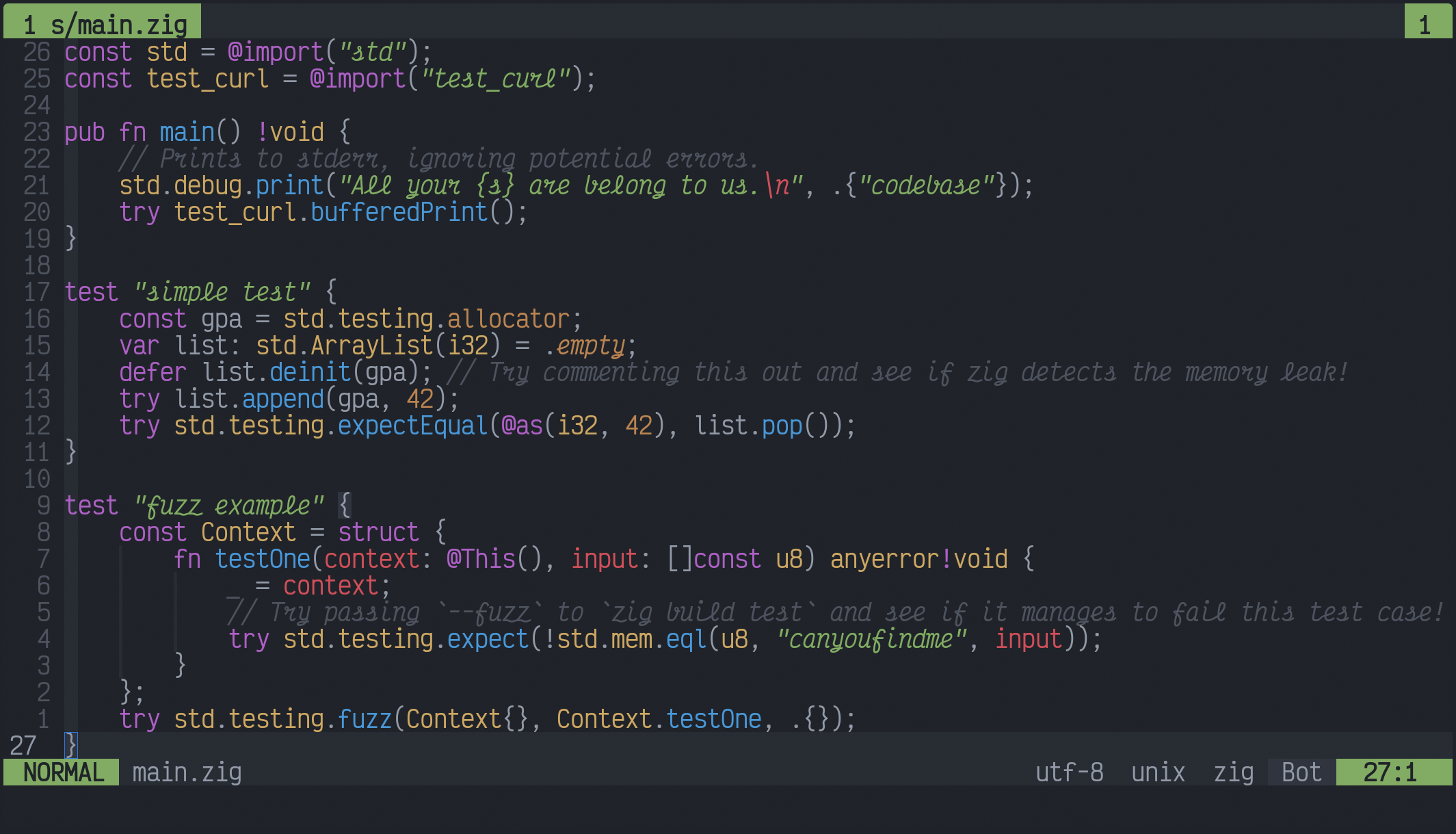
我配好后的字体显示效果:

Ghostty 配置 Voctor Mono 字体的效果图 1

Ghostty 配置 Voctor Mono 字体的效果图 2

点击展开:我的配置文件
1
2
3
4
5
6
7
8
9
10
11
12
13
14
15
16
17
18
19
20
21
22
23
24
25
26
27
28
29
30
31
32
33
34
35
36
37
38
39
40
41
42
43
font-family = VictorMono NF Medium
font-family-bold = VictorMono NF
font-family-italic = VictorMono NF Medium
font-family-bold-italic = VictorMono NF
font-family = Source Han Sans
font-family-bold = Source Han Sans
font-family-italic = Source Han Serif
font-family-bold-italic = Source Han Serif

font-size = 14
adjust-underline-position = -10%
adjust-cell-height = -25%
adjust-font-baseline = 10%

theme = GitHub Dark Default
cursor-style = block
background-opacity = 0.8
background-opacity-cells = true
window-padding-balance = true
window-padding-color = extend

selection-clear-on-typing = true
selection-clear-on-copy = true
right-click-action = paste
shell-integration-features = no-cursor
window-inherit-working-directory = false
mouse-hide-while-typing = true

keybind = clear
keybind = ctrl+shift+c=copy_to_clipboard
keybind = ctrl+shift+v=paste_from_clipboard
keybind = ctrl+shift+page_up=scroll_page_up
keybind = ctrl+shift+page_down=scroll_page_down
keybind = ctrl+shift+home=scroll_to_top
keybind = ctrl+shift+end=scroll_to_bottom
keybind = ctrl+shift+enter=reload_config
keybind = ctrl+shift+backspace=reset_font_size
keybind = ctrl+shift++=increase_font_size:1
keybind = ctrl+shift+-=decrease_font_size:1

gtk-single-instance = true
window-decoration = none
quit-after-last-window-closed = false

Yazi

Ranger 开箱即用且简单,但经常莫名其妙地卡死,图片预览也很慢,换成 Yazi 好了很多,我装了 relative-motions, no-status, toggle-pane 这几个插件,禁用了默认的 Nerd Fonts ,目前用起来很爽:
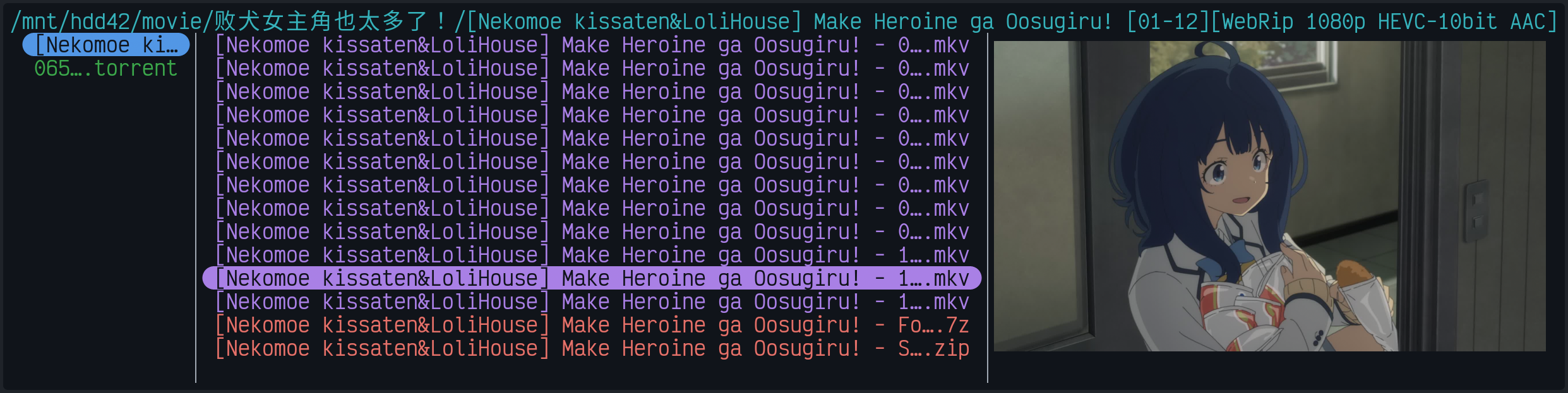
Yazi 效果图

题外话

这帮人过的真是令人羡慕的生活, Kitty 的作者同时也是著名的电子书阅读器 Calibre 的作者,他能闲到无偿维护这两个巨大的开源项目,可能是印度高种姓的日常吧。再看 Ghostty 的作者更是重量级,美日混血,小时候大把时间研究网页游戏外挂,长大了开科技公司( Terraform 是这个公司的一个项目),玩够了又离开自己的公司开始维护自己的开源项目,没事还开开私人飞机,晒晒风景。

好几把羡慕,我活了三分之一辈子了,连出国旅游都没有过,赛博出国还心疼 VPS 费用贵,为啥我只能度过失败的人生?

目录
从 Kitty 和 Ranger 转到 Ghostty 和 Yazi —— 印度小猫和德国游侠不如洛杉矶幽灵和中国鸭子